Have You Tried Turning It Off & On Again?
10 Common Reasons For Submitting An IT Helpdesk Request
Here at Magikos IT we thought it might be helpful to cover some of the most common reasons why customers submit IT Helpdesk requests and outline some of the steps we recommend to try and resolve them. Whilst these issues are common, it does not diminish their importance and we understand that they often cause frustration, inconvenience and downtime for our customers. Additionally, problems that appear to be relatively simple can quickly escalate into a major organisational crisis. For these reasons, we thought that highlighting some of these common issues might raise awareness and help our customers be proactive about preventing these issues in the first place.
Issue 3: Forgotten Password
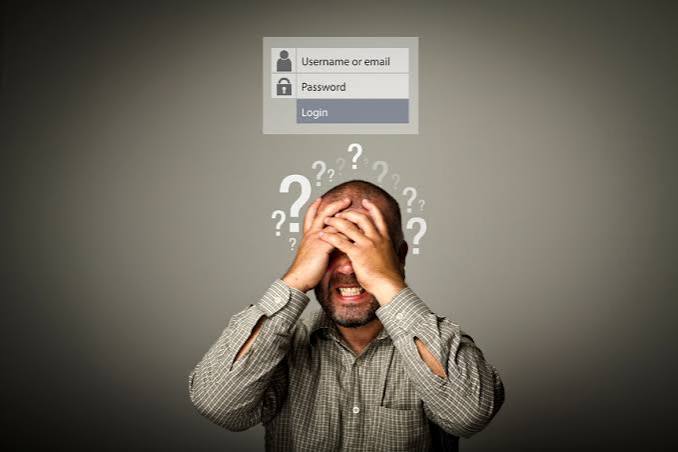
It’s an incredibly common workplace scenario: you sit down at your desk, type in your password, and see the dreaded response: “Incorrect password. Try again.” After a few increasingly frantic attempts, your account locks completely. While forgetting a password might feel like a minor personal annoyance, across a busy organisation it can trigger a surprisingly costly ripple effect.
The whole organisation can be affected in several ways:
- Lost Productivity: First and foremost, being locked out of an account will seriously impact productivity. Not only will the individual concerned be unable to work but their inability to complete designated tasks may have a knock-on effect within the organisation.
- Financial Impact: Industry data suggests that 30-40% of all IT Helpdesk tickets are for password resets. If your IT provider charges for every support call, this can add up to a significant annual cost.
- Security Risks: Employees who have experienced the impact of forgotten passwords may be tempted to set simple passwords in future, or to use a common password for shared devices. This will put the security of their devices at risk and may even constitute a GDPR breach.
What Should I Do?
Requests for password reminders or resets are something we experience on a daily basis. It’s not surprising considering the sheer number of different passwords that people are asked to set these days and the need to remember a large number of complex passwords would tax even the biggest brains! To regain access to an account as quickly as possible, we recommend following these steps:
1. Contact Magikos IT:
For company owned devices, Magikos IT will almost certainly hold a copy of the password in our secure password file. A quick phone call or email to the Helpdesk and we will be able to relay the stored password to you in a secure manner. If we do not hold a password on file, we can easily reset it for you.
2. Use the Automated Reset Link:
For personal accounts, the best approach is to reset your password using the “Forgot Password” or “Reset Password” link. The system will look up your profile and trigger an automated recovery email or text message to your pre-registered security contact methods.
3. Complete the Multi-Factor Authentication (MFA) Verification:
If the account is set up using MFA, the system will challenge you to prove your identity. Open your authenticator app (like Microsoft Authenticator or Google Authenticator) to type in the rolling code, or enter the temporary PIN sent via SMS text message to your mobile phone.
4. Set a New Secure Password:
Once your identity is verified, the system will prompt you to type a new password. Avoid using easily guessable details like your name or sequential numbers. Instead, create a strong passphrase using three or four random, unconnected words (e.g.purple-trampoline-cloud-coffee) and make sure it is stored somewhere safe, preferably using an encrypted password manager.
TOP TIP: Use our helpful Password Generator to automatically generate a 3-word combination password (https://magikos.co.uk/password-generator/)
How Can Magikos IT Help?
Whilst Magikos IT is always happy to reset passwords as many times as necessary (!), there are easier ways to manage this problem.
We can offer advice and guidance regarding suitable password managers and can implement alternative verification methods such as Multi-Factor Authentication (MFA) or biometric logins. We also offer training and support to organisations who need to have documented password policies.
For Further Information or advice, please contact the Magikos IT Team or fill in the form below and we will contact you.
Tel: 01344 204019
Email: [email protected]